Time tracking
Time tracking
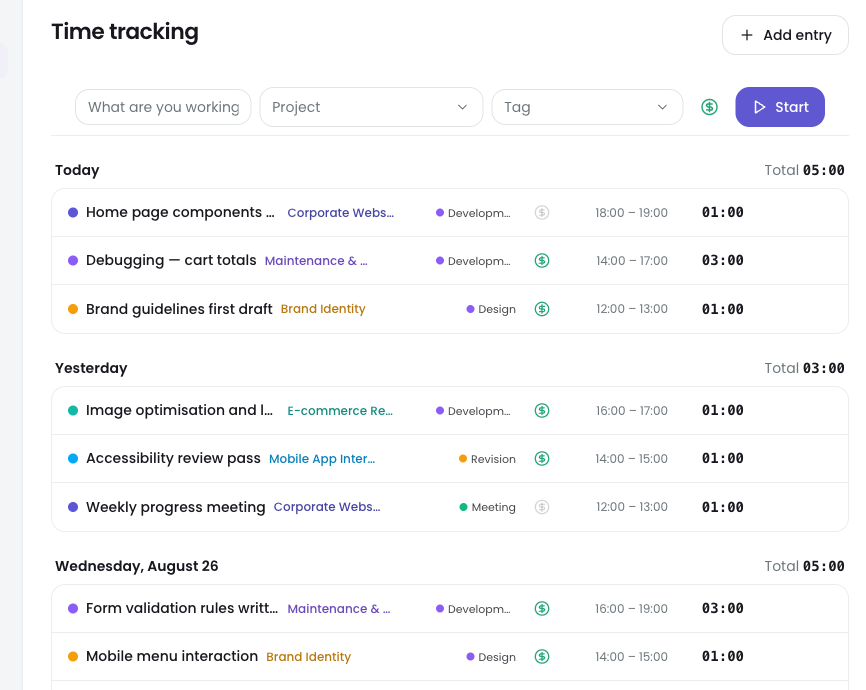
Timer or manual entry. Entries attach to a project, a task and a tag; calendar and dashboard show the same data.
Take time tracking, timesheet approval and pro forma documents out of disconnected systems. On your own or with a team: log the work once, then turn the very same records into accurate client documents — no second data entry.
Scattered spreadsheets, forgotten hours, and the errors that creep in while copying between systems. Oclockr closes the gap between the work your team does and the numbers you report.
Everyone keeps their own spreadsheet, and someone spends the last night of the month merging them. Nobody is sure which file is current.
In OclockrOne source: calendar, dashboard and timesheet all read the same entry. There is nothing left to merge.
Trying to reconstruct three days on a Friday evening. An hour nobody remembers is an hour nobody bills.
In OclockrStart the timer, or enter it by hand on the same screen. Overlapping entries are rejected, so the same hour can never be billed twice.
Hours carried by hand from the timesheet into the document. If a row slips, nobody notices — until the client does.
In OclockrThe document is generated from the same entries. Nothing is retyped and nothing is carried by hand.
An entry in a closed month gets edited later, and the statement the client received no longer matches your records.
In OclockrApproved weeks are locked, the hourly rate is frozen with the entry, and every correction leaves a trace in the audit log.
One product, three kinds of business. Start wherever you recognise yourself.
Budget · profitability · client breakdown
Transparency · enterprise sign-in · audit
Sellable time · documents in seconds
Most tools capture the hours and stop there. In Oclockr every step feeds the next one.
Tracking time is the easy part. The hard part is accounting for a document you issued six months ago — to a client or to an auditor. Oclockr was designed for that moment.
Raise your hourly rate today and every past month keeps its original totals. A closed month stays closed.
"Approved" is not a label here. The week's entries close, and a correction can only be made as a new entry that leaves a trace.
The pro forma is the entries. With no copy-paste in between, two different numbers can never appear.
Each one came out of a real problem. None of them is here to make the list longer.
Timer or manual entry. Entries attach to a project, a task and a tag; calendar and dashboard show the same data.
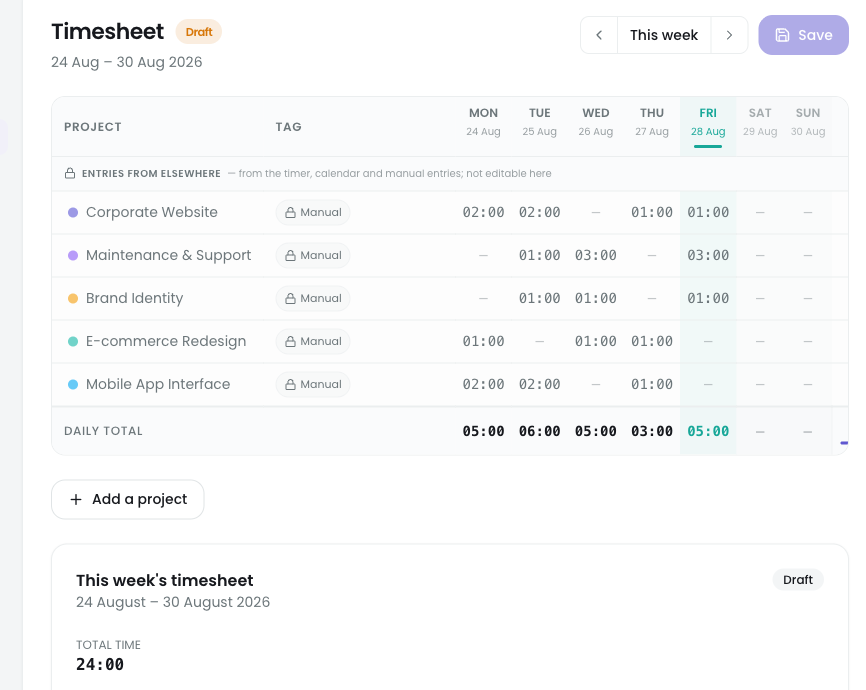
The weekly timesheet goes to a manager and locks on approval. Corrections afterwards leave a trace.
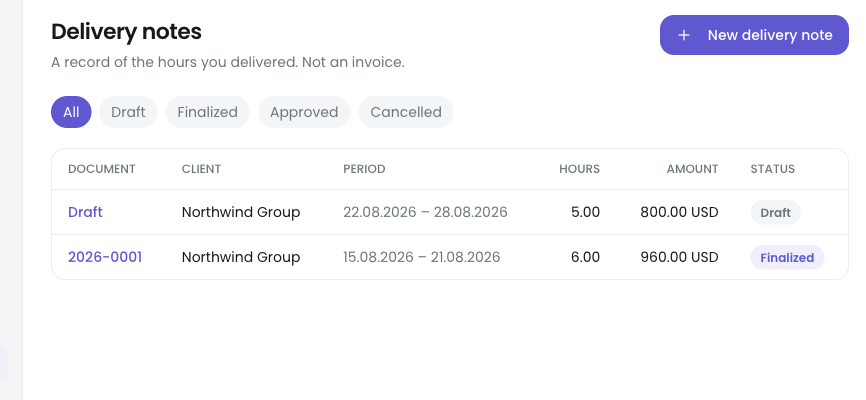
Pick a period and the document appears, ready as a PDF. Finalising it locks the entries inside.
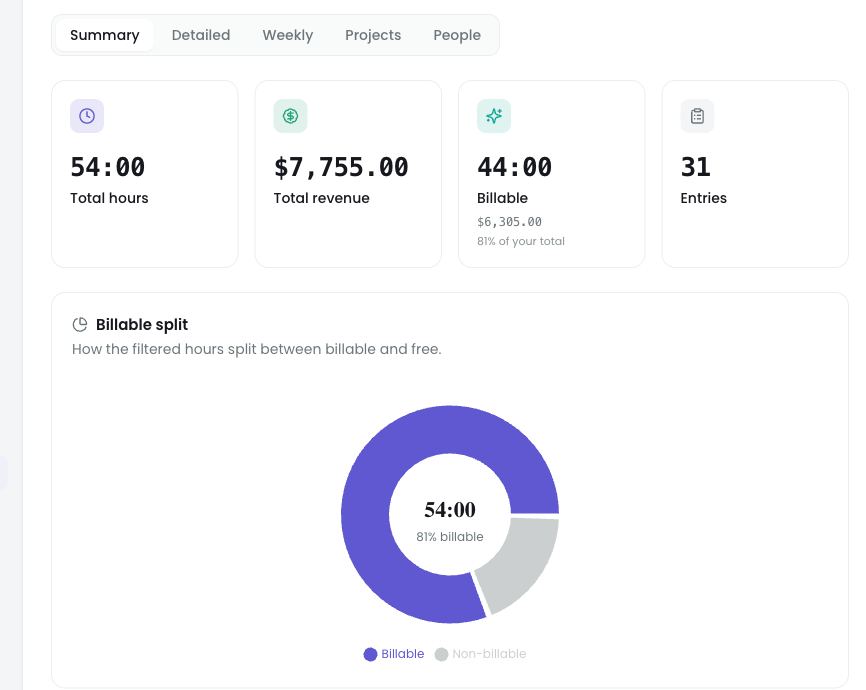
The hourly rate is locked the moment an entry is created, so a later raise never changes last month's totals.
Build the team with an invite code and set roles. Critical actions land in the audit log: who, when, what.
Single sign-on with Microsoft Entra. Someone arriving on a company account carries no separate password.
Individual use is free with no time limit. The Team plan starts with a 14-day trial.
Coming soon
One person tracking their own work.
Start freeComing soon/month
Freelancers and one-person businesses.
Go ProComing soon/seat
Teams, roles and an approval flow.
Start 14-day trial| Feature | Free | Pro | Team |
|---|---|---|---|
| Time tracking · calendar · dashboard | ✓ | ✓ | ✓ |
| Active projects | 3 | unlimited | unlimited |
| Tags and clients | ✓ | ✓ | ✓ |
| Reports — viewing | summary + weekly | all | all |
| Reports — export (CSV/Excel) | — | ✓ | ✓ |
| Money: hourly rate, amount, cost | — | ✓ | ✓ |
| Project budget | — | ✓ | ✓ |
| Pro forma document | — | ✓ | ✓ |
| Timesheets and approval | · | · | ✓ |
| Team · roles · invite code | · | · | ✓ |
| Audit logs | · | · | ✓ |
| Enterprise SSO (auto-join) | · | · | ✓ |
| Seats | 1 | 1 | 3 included, then per seat |
✓ included · — locked, unlocks with an upgrade · · not a concept in that plan